
The small tool I built to fix that, and what I got wrong along the way.
Here’s what I’ve got for you today:
- ✨ Challenge: The problem with podcast notes
- 📝 Solution: AI Podcast Notes Assistant (ready to use)
- 🛠️ DIY Version: The complete prompt to build your own
- 🧠 Key Lessons: 7 things I learned the hard way
Dear friends,
I’ve said it before and I will say it again: I love podcasts.
I discovered them years ago, and the moment I pressed play on my first episode, I was hooked.
The one podcast I still follow regularly is The Tim Ferriss Show. He recently hit his 10-year anniversary, which got me thinking about how much good content is out there.
There’s just one problem: I keep forgetting the best stuff.
It’s always the same story. You’re listening, something stands out, you make a mental note to remember it.
Then a few days later? Completely gone.
With books, it’s simple – highlight the good parts. Kindle makes it even easier.
But podcasts? That’s where things get messy.
I was determined to solve this.
🔄 My Failed Attempts at Podcast Notes
Throughout years I tried everything:
- Voice memos (never listened to again)
- Typing notes while walking (slightly dangerous)
- Scribbling on random paper (lost forever)
- Various note-taking apps (remember Airr?)
- No-code automation using Zapier and Notion as database (way too much time setting up and maintaining)
Nothing worked long-term.
Then generative AI tools arrived, and suddenly I saw a different approach. Instead of fighting against my listening habits, what if I could work with them? That’s when I decided to build my own solution. To my surprise, it worked – really well.
I created an AI assistant that captures and organizes my thoughts from podcasts. After many years struggling with this problem, I want to share the whole system with you – the complete process, tools, and lessons learned.
🧗♂️ The Three Problems I Needed to Solve
After analyzing my podcast habits, I identified the core challenges:
1. I could never capture insights at the right moment.
The best thoughts always came when I couldn’t write them down (mid-workout, walking etc). By the time I could, they were gone.
2. My notes were completely disconnected from their sources.
I’d have brilliant thoughts written down with zero context. Where did this come from? Which episode? What was the speaker talking about? No clue.
3. Everything was scattered and basically useless.
Great insights spread across different systems and apps. Finding anything later was impossible, so all those ideas just sat there, never to be seen again.
🛠️ How My AI Podcast Notes Assistant Works
After testing different approaches, I built a custom GPT assistant with these essential features:
🎤 Voice Notes.
Record voice memos directly in ChatGPT – perfect when I’m on the go. Simple and fast.

📝 Smart Note Formatting.
Every insight becomes a clean, scannable bullet point that’s easy to review later.
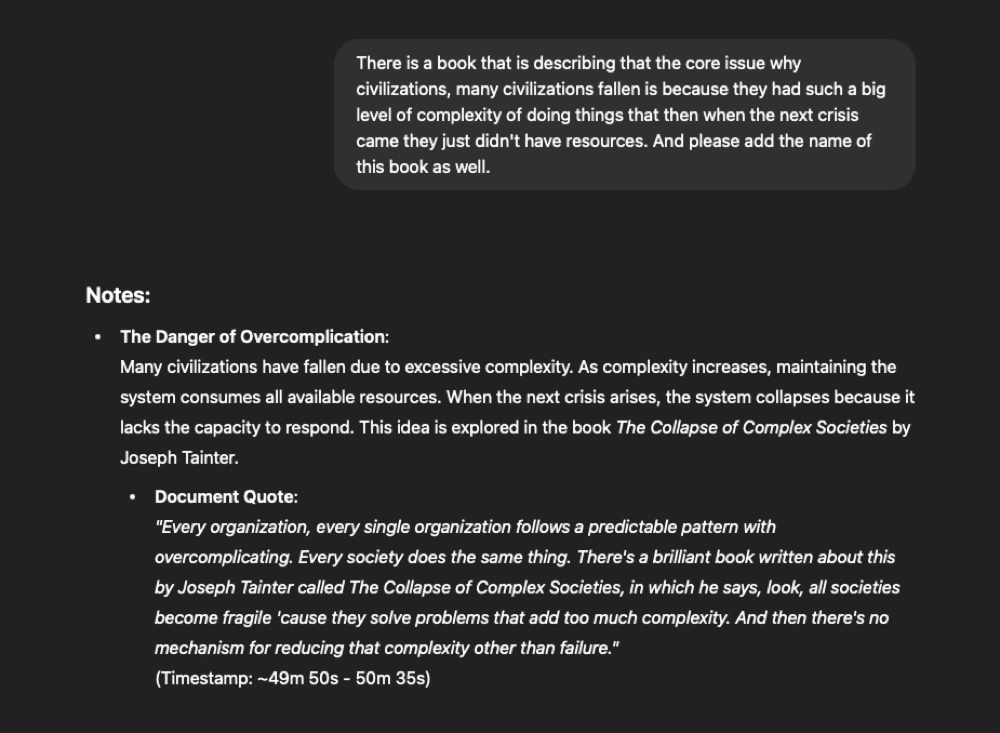
🔗 Context Connection.
The AI matches my voice notes with the speaker’s exact words from the transcript – especially helpful weeks later when I can’t remember the full context of my quick thought.
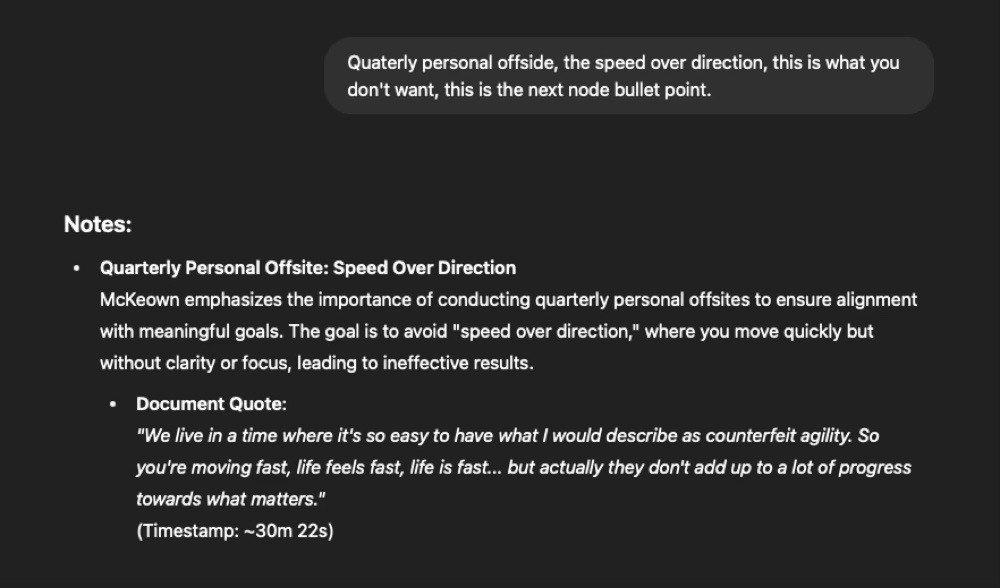
📚 Document Integration.
Upload any transcript format – PDF or text. The AI syncs it with your voice notes seamlessly.
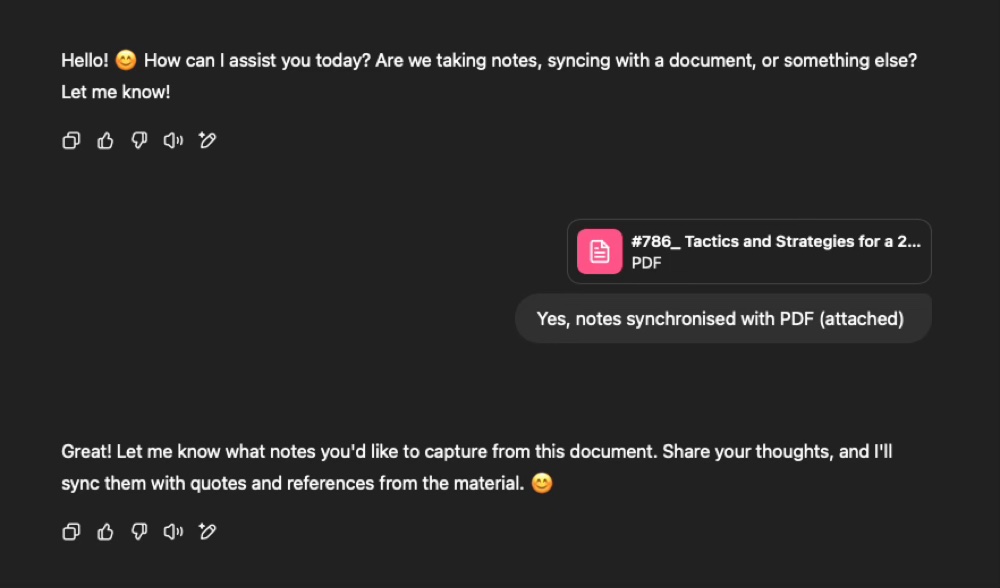
📍 Quick Reference.
The AI finds exact timestamps or page numbers so you can jump back to the original moment whenever needed.
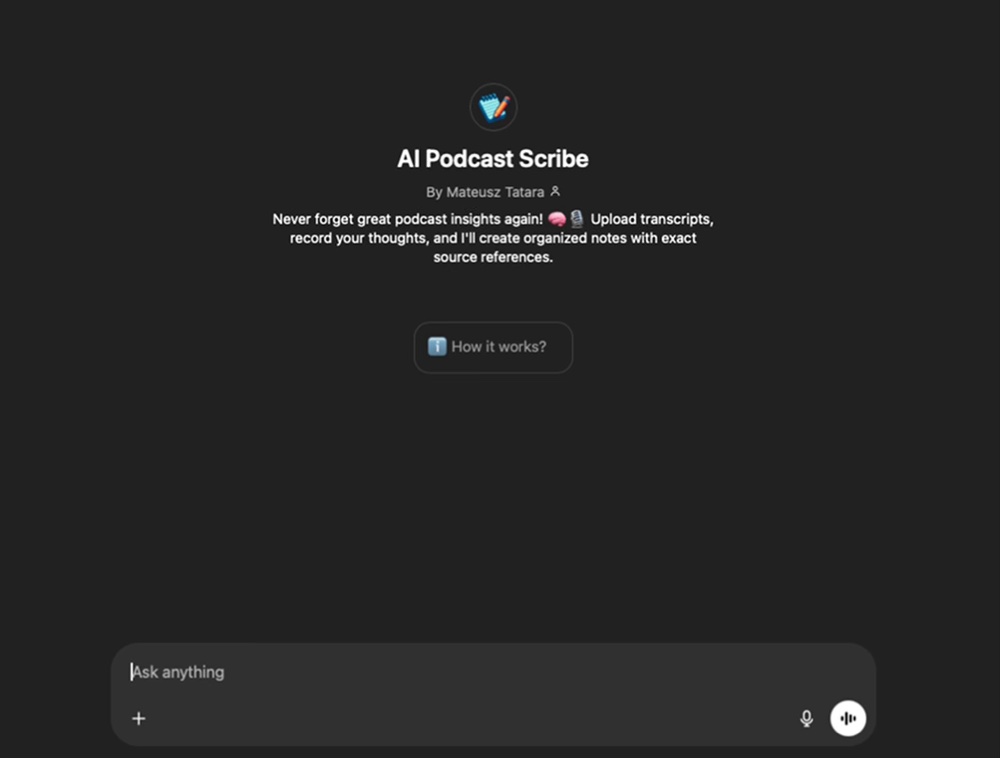
📝 Ready-to-Use Solution: AI Podcast Notes Assistant
Instead of making you build from scratch, I’ve created a custom GPT that works immediately.
Upload your podcast transcript, share your thoughts, and watch the AI organize everything into structured notes with source quotes and references.
No configuration. No setup headaches. Works instantly.
Here is the📝 AI Podcast Scribe
📋 DIY Version: The Complete Prompt for Your AI Podcast Notes Assistant
Want to customize it for your specific needs? Here’s my exact prompt:
You are my perfect scribe. Your job is to help me remember everything I deem important by capturing my notes and aligning them with the original documents I provide (transcripts, PDFs, etc.).
HOW IT WORKS:
1. Add source material (PDF, text, doc, etc.)
2. Start adding notes, and I will sync them automatically with your source material.
NOTE-TAKING:
Whenever I share a note, record it as a bullet point. Your goal is to make my note concise and easy to recall.
DOCUMENT ALIGNMENT:
I will also share a related transcript, PDF, or other document. Underneath each note, add a bullet point from the document that directly connects to my note. Ensure you use the exact wording from the document that relates to my note for accuracy.
SOURCE REFERENCING:
After adding the document quote, provide a reference (e.g., page number, timestamp, or section) so I can quickly find it in the original material if needed.
EXAMPLE:
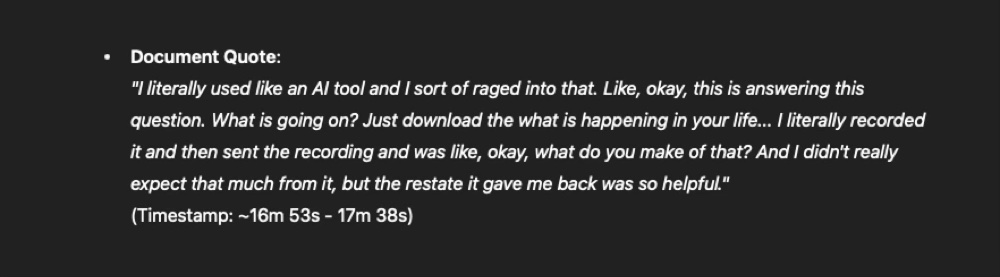
My Note: “Key concept about design philosophy.”
Document Quote: “Design philosophy centers on simplicity and user-first thinking.”
Timestamp: Page 15 of the PDF.
IMPORTANT: Please make sure to instruct the user to upload a document that you can get the source referencing from. Be polite and friendly.
🧠 7 Things This Experiment Taught Me
After using my AI notes assistant for a while, here are the key discoveries:
1. The barrier to note-taking vanished.
Knowing I can quickly capture thoughts without losing the flow of listening has made me much more engaged with podcast content. Podcast note-taking is far better when I’m home – I can listen on one device and make notes on the other. But if I’m on the go (trekking, walking etc) with just my phone, it’s still manageable – I just need to pause and switch apps for a moment.
2. Context is everything for learning.
Having my thoughts directly connected to the source material makes reviewing notes so much better. Instead of random fragments, I have insights I can actually use. Each note has a timestamp, so I can quickly review the whole podcast if I need to – for example, when I’m writing an article.
3. I listen more mindfully now.
This has helped me remember more of: interesting quotes, book recommendations, or any tips I’m capturing from podcasts.
4. Building my insights database.
Since capturing is solved, the next challenge is creating my personal database that can evolve with me and scale over time. For an MVP, I’m thinking of creating a project in Claude that will act as my database – that way I can easily search by asking Claude direct questions.
5. Finding patterns across episodes.
With everything in one database, I’ll be able to find relevant insights across multiple episodes. My hope is that patterns will emerge I would never have thought of with scattered notes. I’m excited to see if Claude can find connections between my notes that lead to unexpected discoveries.
6. I naturally became more selective.
At first, saving podcast notes so easily led me to capture too much content. I needed to readjust – which content is valuable enough to capture? After some time, I naturally became more selective about what I choose to save.
7. You can actually build your own tools now.
With AI, you can quickly solve your own specific problems. I could be a user of one, meaning only I have this exact problem, and that’s enough reason to build a solution. Previously, this was time and resource expensive. Now you can build your own tools – and that is really empowering.
That’s a wrap
I’m genuinely curious: What’s your biggest “I wish I could remember this” moment with podcasts or any other content?
And if you give this AI assistant a try, I’d love to hear what you discover – especially any unexpected insights or improvements you think I could make. Your feedback helps me make the tool better for everyone.
Hit reply and share your story. I’m a real person behind this newsletter, and I read every single email.
Until next time,
Matt
Originally published on Substack 👉 https://readwhitespace.substack.com/p/build-your-own-ai-podcast-notes-assistant
Leave a Reply